Yoder YS Series Replacement Thermocouple
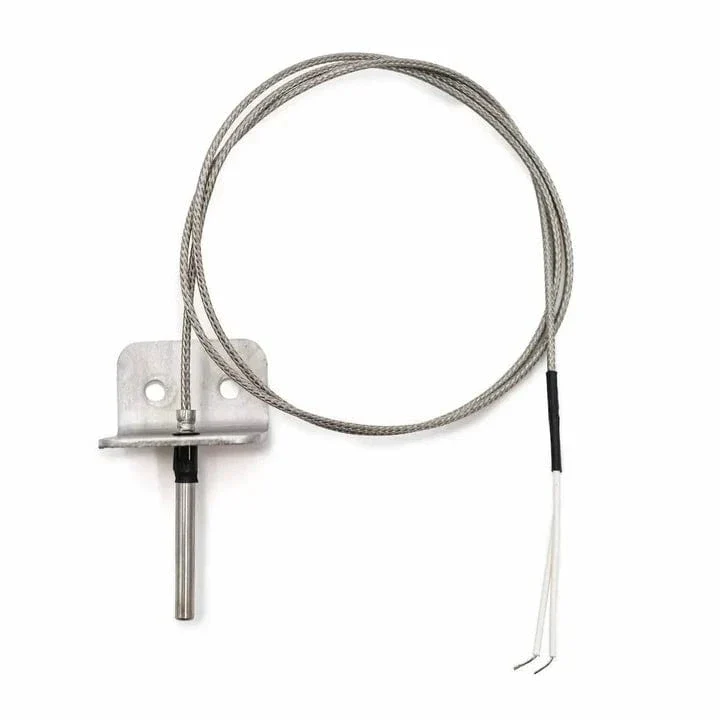
Replacement thermocouple for Yoder Smokers YS Series Pellet Grills.
Long Thermocouple:
If your Yoder Smoker was built before 1/27/2015, you will require a long thermocouple (90454). Grills manufactured before this date will have a long thermocouple mounted on the back wall.
Short Thermocouples:
For grills built after 1/27/2015, there are two possible thermocouples depending on the date the model was manufactured. Please see the below steps or video to identify which thermocouple you need.
- Press the menu button on the main screen of your YS480s / YS640s pellet grill
- Rotate the selector knob to highlight the "About" option and press the knob
- Verify your firmware is version 1.0.43 or higher (your grill will automatically update whenever it is connected to the FireBoard app via WiFi)
- Once firmware is verified, rotate to the "probe" option under the "About" menu
- This menu will inform you which probe your grill uses - either "PT1000" (A90311) or "Type J" (A91413)
How To Identify Your Yoder Thermocouple (courtesy of allthingsbbq)
Original: $54.09
-65%$54.09
$18.93More Images


Yoder YS Series Replacement Thermocouple
Replacement thermocouple for Yoder Smokers YS Series Pellet Grills.
Long Thermocouple:
If your Yoder Smoker was built before 1/27/2015, you will require a long thermocouple (90454). Grills manufactured before this date will have a long thermocouple mounted on the back wall.
Short Thermocouples:
For grills built after 1/27/2015, there are two possible thermocouples depending on the date the model was manufactured. Please see the below steps or video to identify which thermocouple you need.
- Press the menu button on the main screen of your YS480s / YS640s pellet grill
- Rotate the selector knob to highlight the "About" option and press the knob
- Verify your firmware is version 1.0.43 or higher (your grill will automatically update whenever it is connected to the FireBoard app via WiFi)
- Once firmware is verified, rotate to the "probe" option under the "About" menu
- This menu will inform you which probe your grill uses - either "PT1000" (A90311) or "Type J" (A91413)
How To Identify Your Yoder Thermocouple (courtesy of allthingsbbq)
Product Information
Product Information
Shipping & Returns
Shipping & Returns
Description
Replacement thermocouple for Yoder Smokers YS Series Pellet Grills.
Long Thermocouple:
If your Yoder Smoker was built before 1/27/2015, you will require a long thermocouple (90454). Grills manufactured before this date will have a long thermocouple mounted on the back wall.
Short Thermocouples:
For grills built after 1/27/2015, there are two possible thermocouples depending on the date the model was manufactured. Please see the below steps or video to identify which thermocouple you need.
- Press the menu button on the main screen of your YS480s / YS640s pellet grill
- Rotate the selector knob to highlight the "About" option and press the knob
- Verify your firmware is version 1.0.43 or higher (your grill will automatically update whenever it is connected to the FireBoard app via WiFi)
- Once firmware is verified, rotate to the "probe" option under the "About" menu
- This menu will inform you which probe your grill uses - either "PT1000" (A90311) or "Type J" (A91413)
How To Identify Your Yoder Thermocouple (courtesy of allthingsbbq)